Create and manage profiles
A profile is an isolated browser (cookies, fingerprint, proxy). Create a group first if you want campaign folders: Create a group.
1. Open the profile list
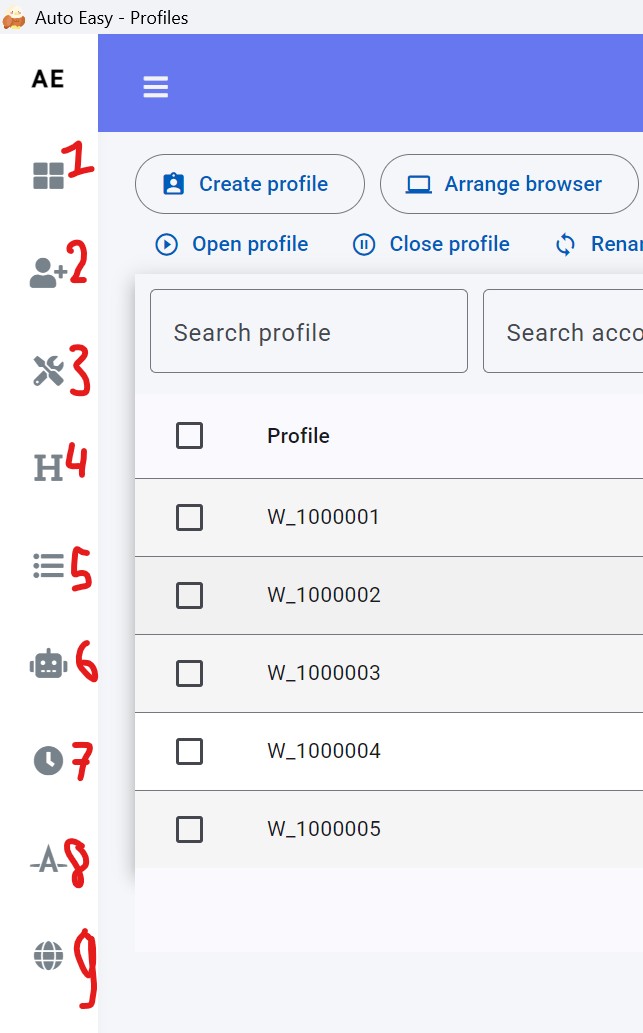
- In the left menu, click Profile (label 2).
2. Create profiles
- Click Create Profile.
- Fill the fields below, then save.
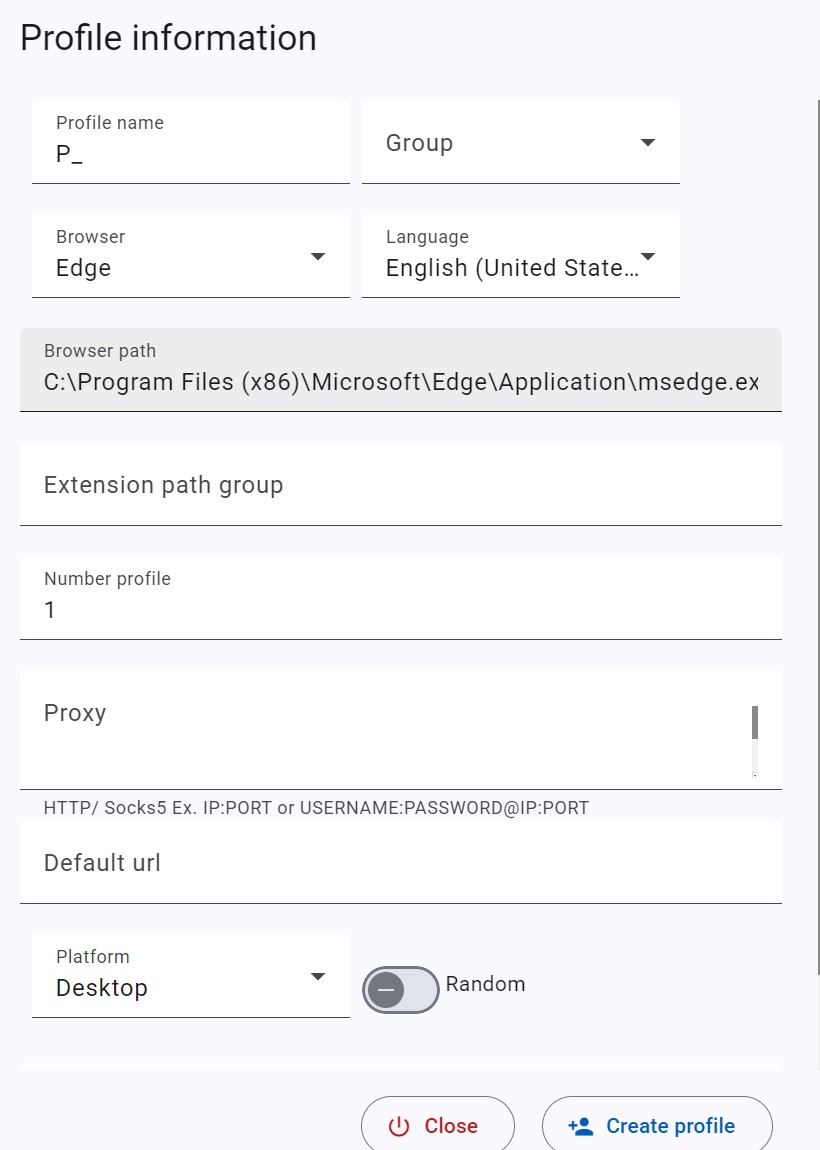
| Field | Notes |
|---|---|
| Profile name | Display name. |
| Group | Optional group you already created. |
| Browser | Edge, Brave, Chrome, or a Chromium exe path. Chrome cannot load extensions from a folder — see Extensions. |
| Extension path group | Shared extension folder for these profiles. |
| Number profile | How many profiles to create at once. |
| Proxy | One proxy per line to pin. Leave empty if a script or pool will set it at runtime. |
| Default url | Page opened when the profile starts. |
| Platform | Mobile user-agent: pick a platform, then pick or paste a UA. |
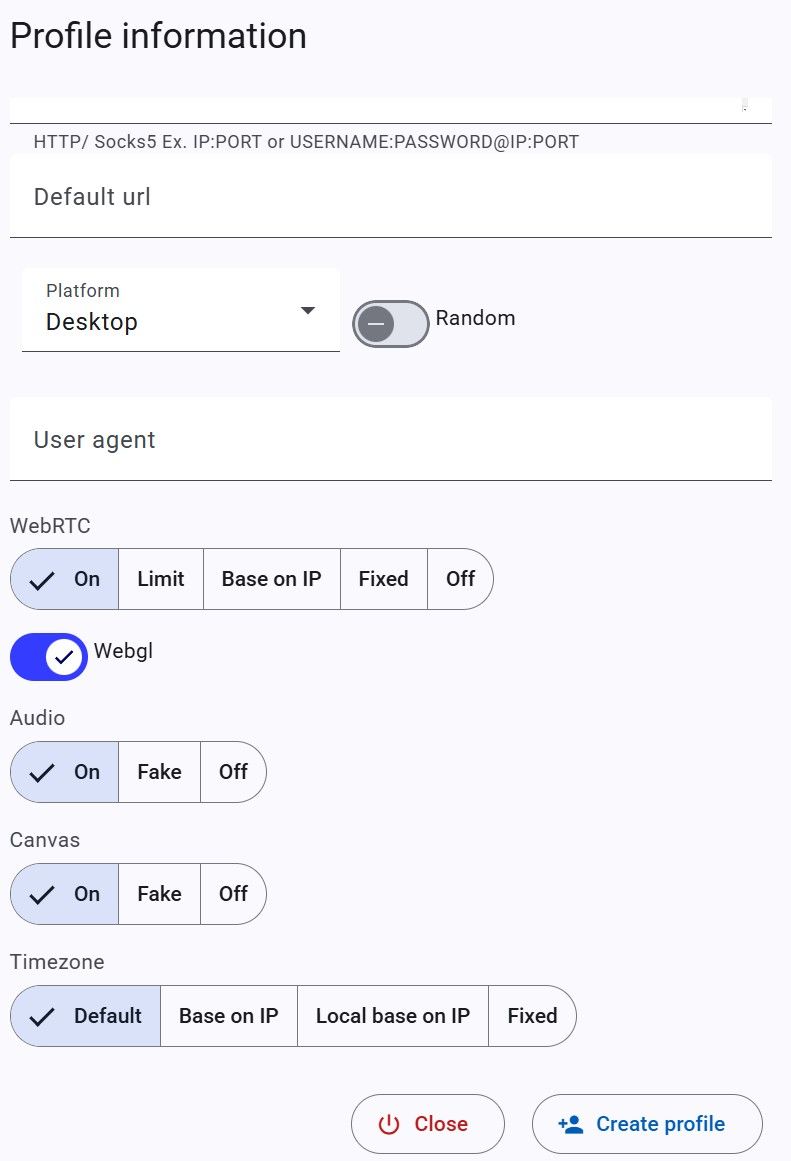
WebRTC
- On — no change.
- Limit — restrict collection.
- Base on IP — leak the proxy IP.
- Fixed — leak an IP you enter.
- Off — disable WebRTC (video/voice may break).
Audio / Canvas
- On — default.
- Fake — slight noise.
- Off — mute audio (audio setting).
Timezone
- Default — detect from the proxy once, then reuse.
- Base on IP — read timezone from the proxy on first run.
- Local base on IP — local IP database (faster, may be stale).
- Fixed — timezone you choose.
3. Open, lock, edit, delete
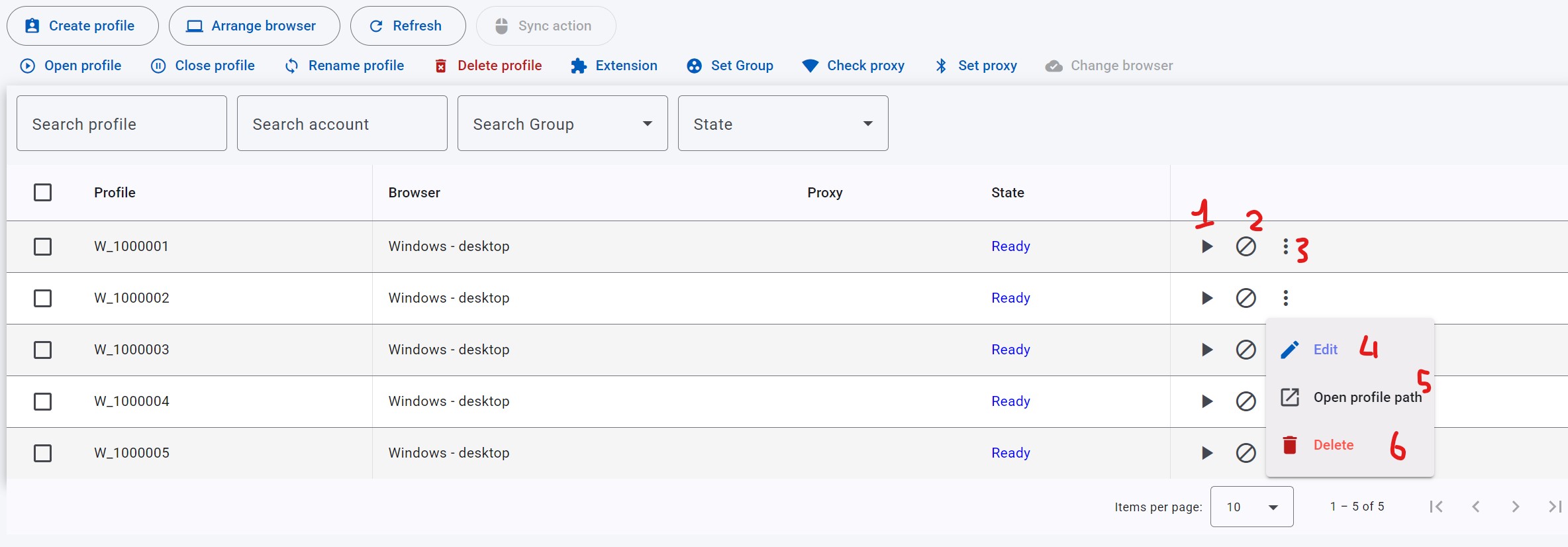
- 1 — open one profile.
- 2 — lock. Locked profiles are skipped by schedules.
- 3 — menu for 4 / 5 / 6.
- 4 — edit.
- 5 — open the profile folder on disk.
- 6 — delete the selected profile.
Open many profiles at once
- Select or drag-select profiles.
- Click Open profile.
- Set screen, size, scale, rows, and columns.
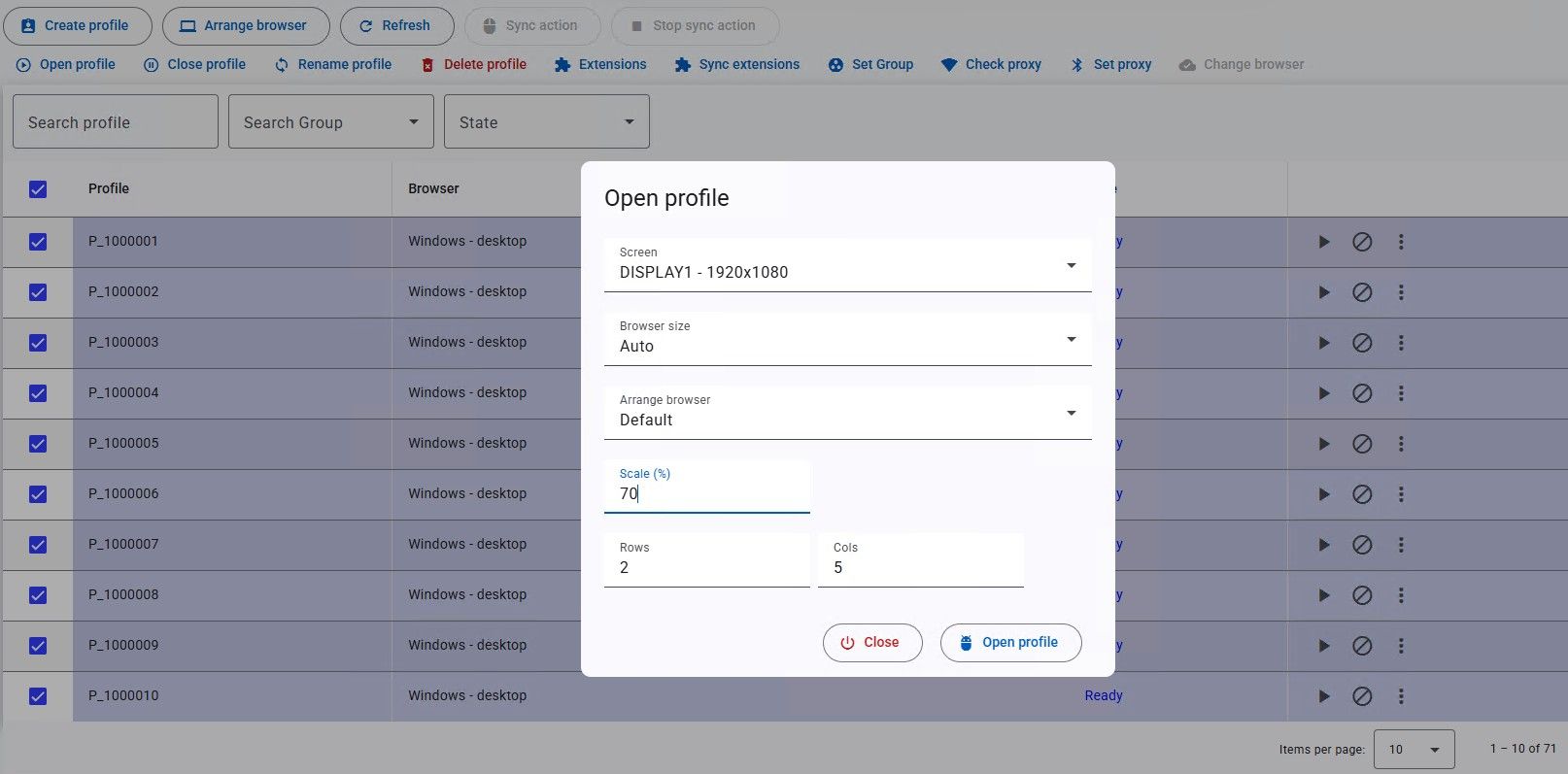
| Field | Meaning |
|---|---|
| Screen | Target monitor if you have more than one. |
| Browser size | Auto or Custom (width × height). |
| Scale | Window scale. |
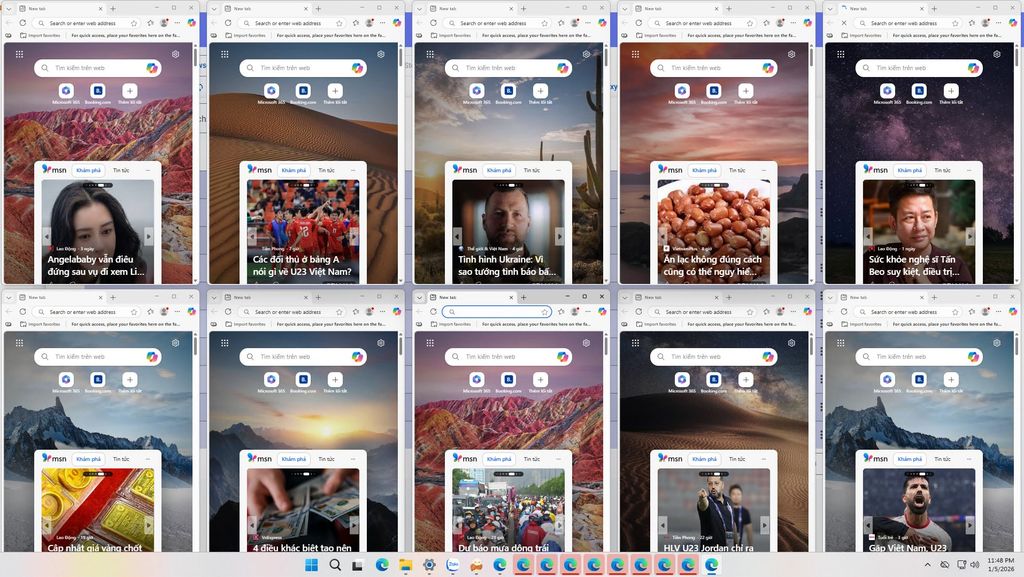
| Row / Cols | Grid. Example: 10 profiles as 2 × 5. |
4. Arrange browser
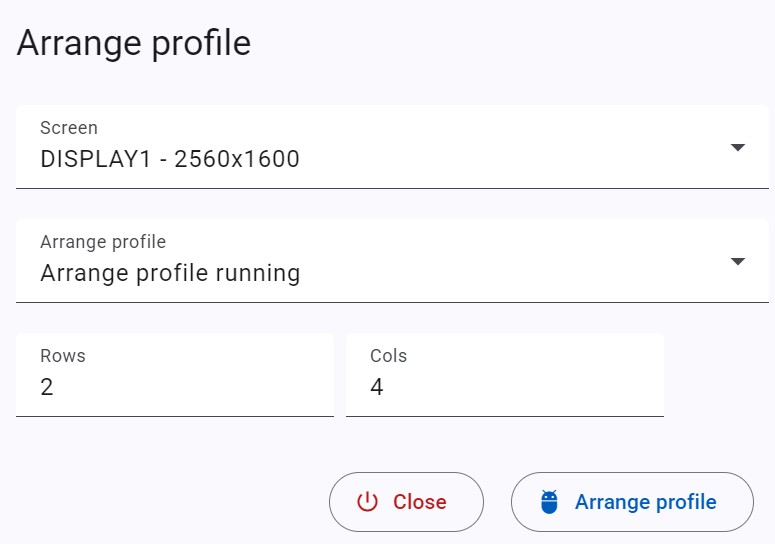
If profiles are already open, click Arrange browser to re-tile them. Pick the monitor, Rows, and Cols (for example 2 rows, max 4 windows each).
To drive many windows at once, use Sync actions.