Manage proxies
Proxies in AutoEasy sit in a pool and bind to ports. Standard flow: import the list → create a pool (rotation strategy) → assign proxies → create ports → attach them to profiles.
Open Proxy
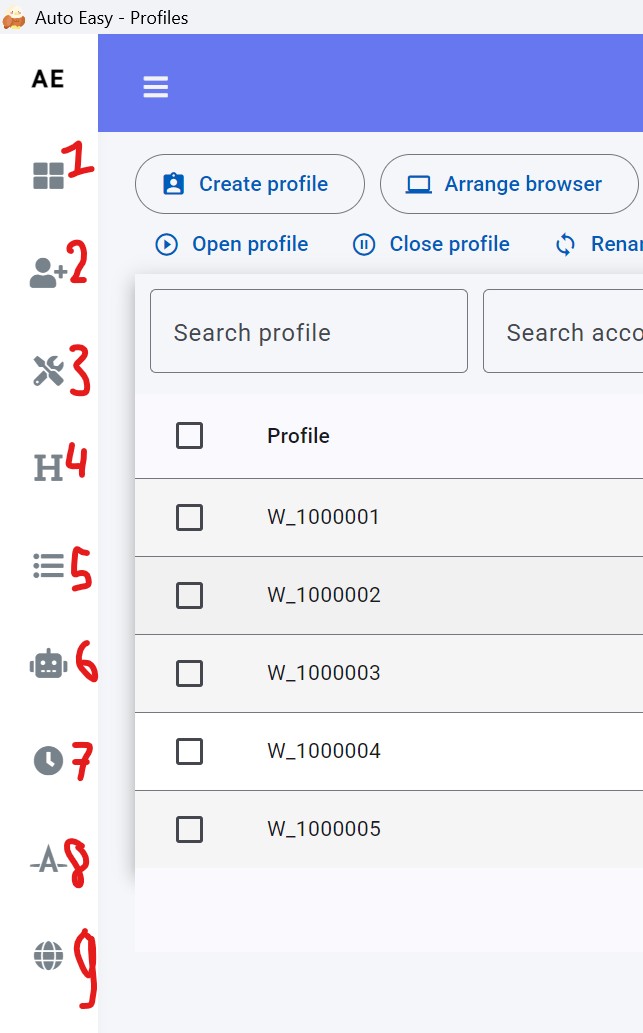
- In the left menu, click Proxy (label 9).
1. Import proxies
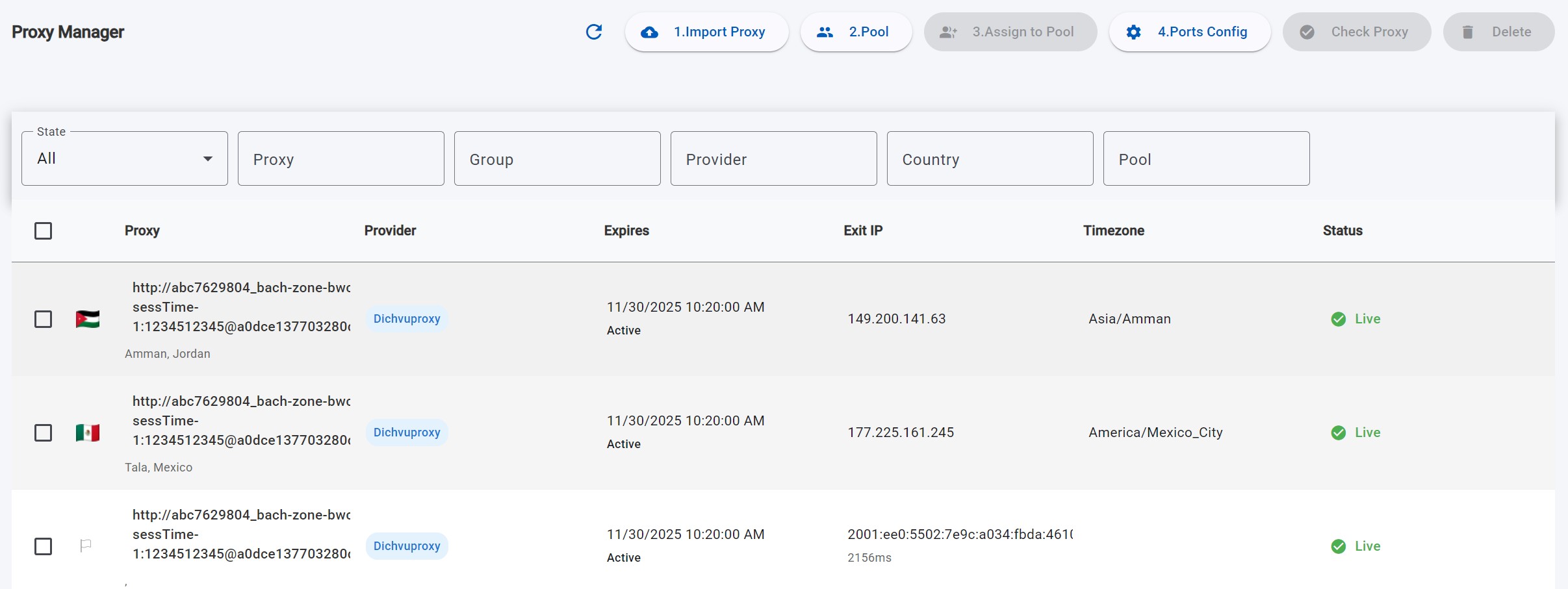
- Click Import proxy.
- Pick a
.txtfile, one proxy per line.
2. Create a pool
- Click Pool.
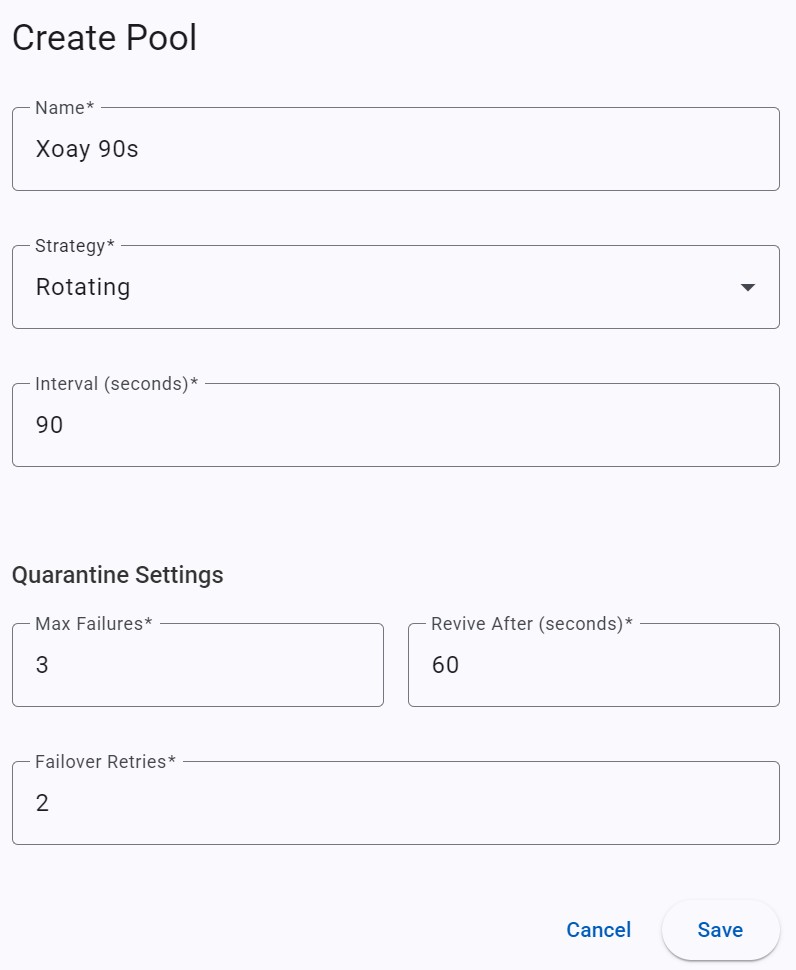
- Set Name.
- Choose Strategy and Interval Sec.
- Fill quarantine settings if you need them, then save.
| Strategy | How it rotates |
|---|---|
| Rotating | Each interval, bind the next unused group (wrap around if needed). Example: 5 proxies, 3 ports → first tick 1–2–3, next tick 4–5–1. |
| Round robin | Shift by one each tick. Example: 10 proxies, 5 ports → first 1–5, next 2–6. |
| Replacement | Re-read the txt file every Interval Sec and reload ports. Use this when you edit the proxy file outside the app. |
| Field | Meaning |
|---|---|
| Interval Sec | Seconds between rotations. |
| Max Failures | Consecutive failures before quarantine. |
| Revive After Seconds | How long a quarantined proxy stays out before it returns. |
| Failover Retries | How many other proxies to try after a failure. Set 0 to disable failover. |
3. Assign proxies to the pool
- On figure 1, select (or drag-select) proxies.
- Click Assign to Pool.
- Choose Pool Name, then Update.
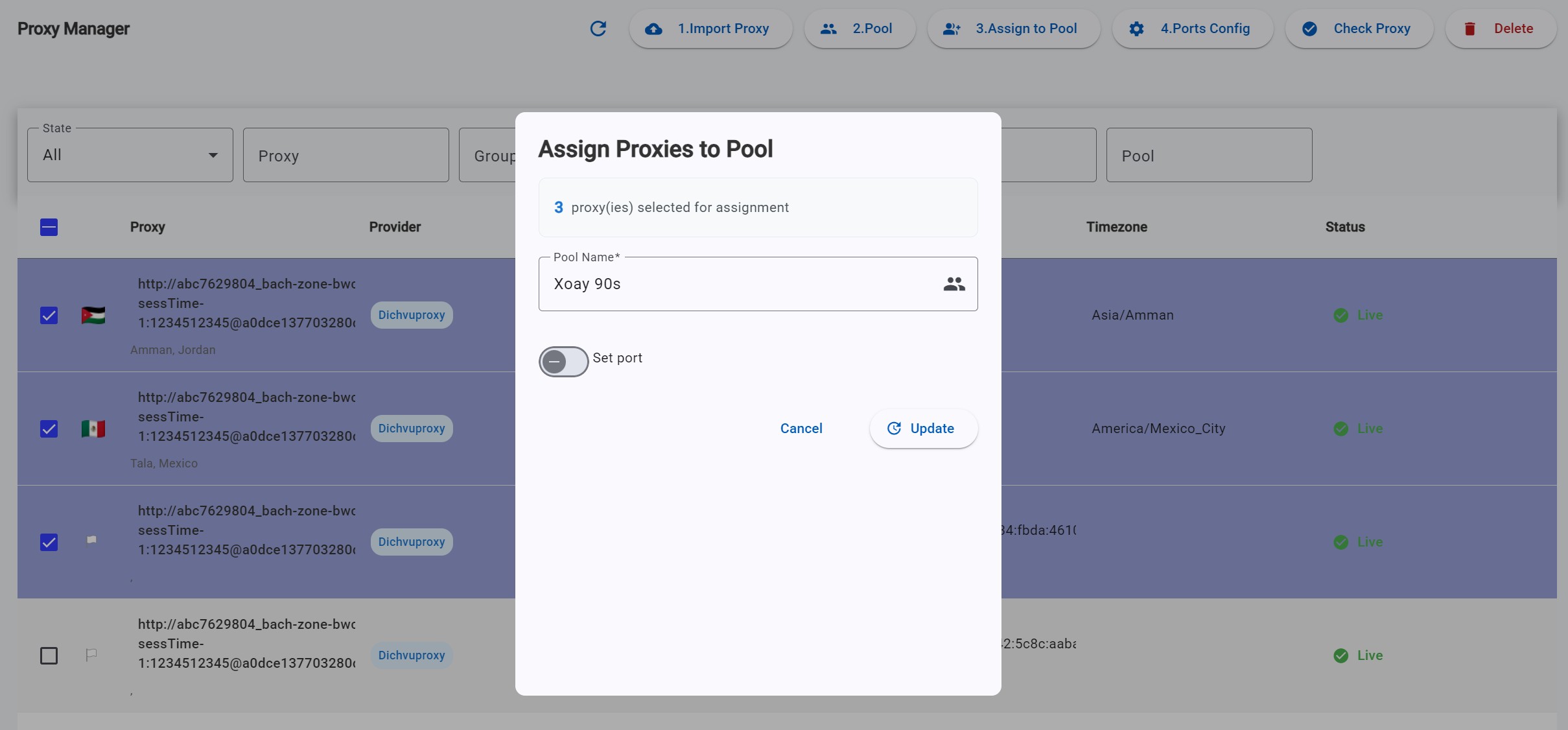
If you tick Set port, those proxies are pinned to ports and do not rotate with the pool strategy.
Example: 100 proxies, 3 pinned, 97 rotating every 90 seconds:
- Select the 3 pinned proxies → Assign, tick Set port, enter e.g.
30000, 30001, 30002. - Select the other 97 → Assign, do not tick Set port.
4. Create ports
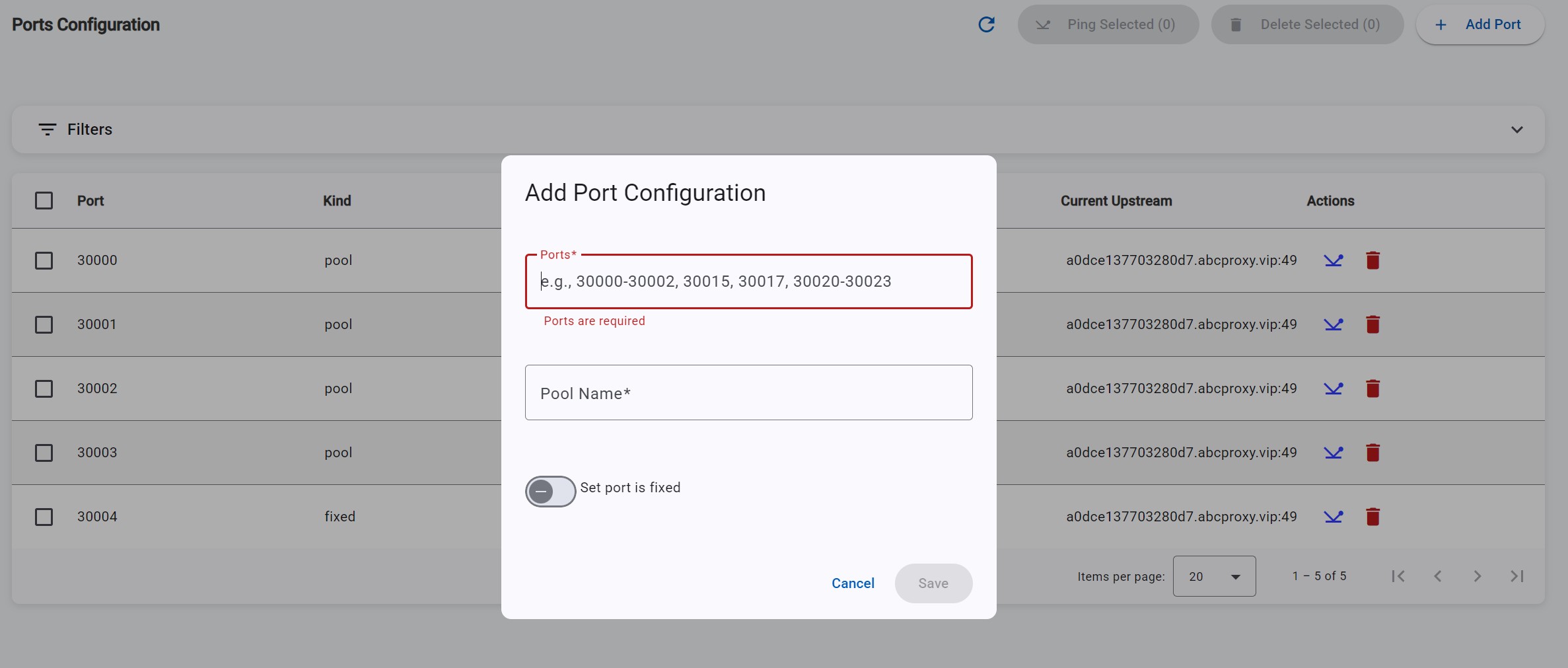
- Click Port config → Add port.
- Ports — one port (
30000), a range (30000-30009), or mixed (9000-9002,9005,9010-9012). - Choose Pool Name.
- Tick Set port is Fixed only if these ports must not rotate.
5. Attach to a profile
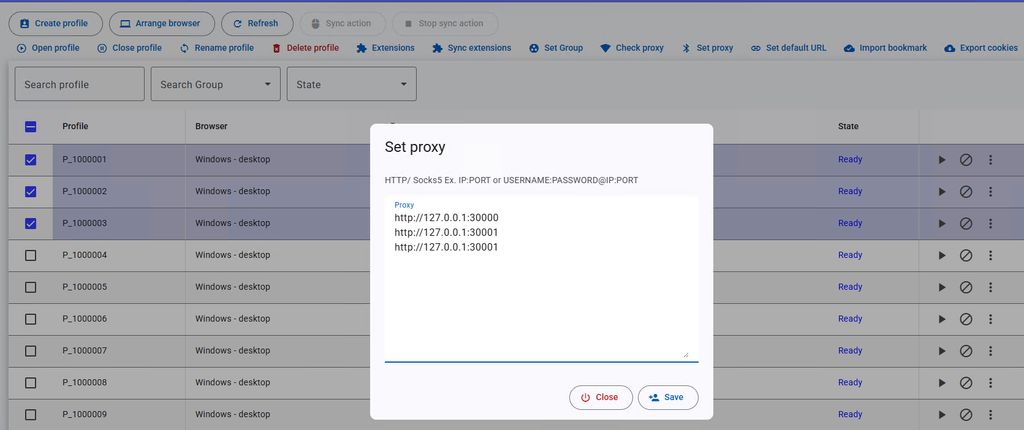
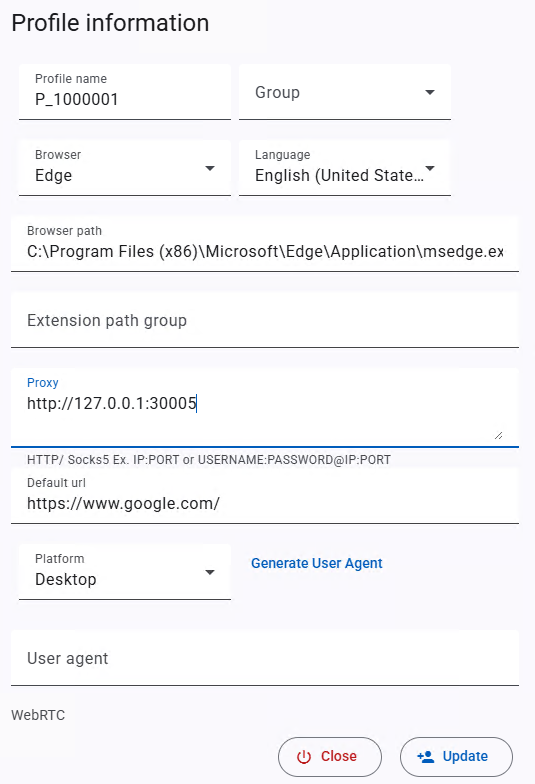
Open the profile and pick the proxy or pool (or leave empty if the script will set the proxy at runtime).
Next: Create profiles and select the pool or port you just made.