Manage scripts
The Script screen is where you register scripts you already built. A script must be listed here before you can schedule it.
Open Scripts
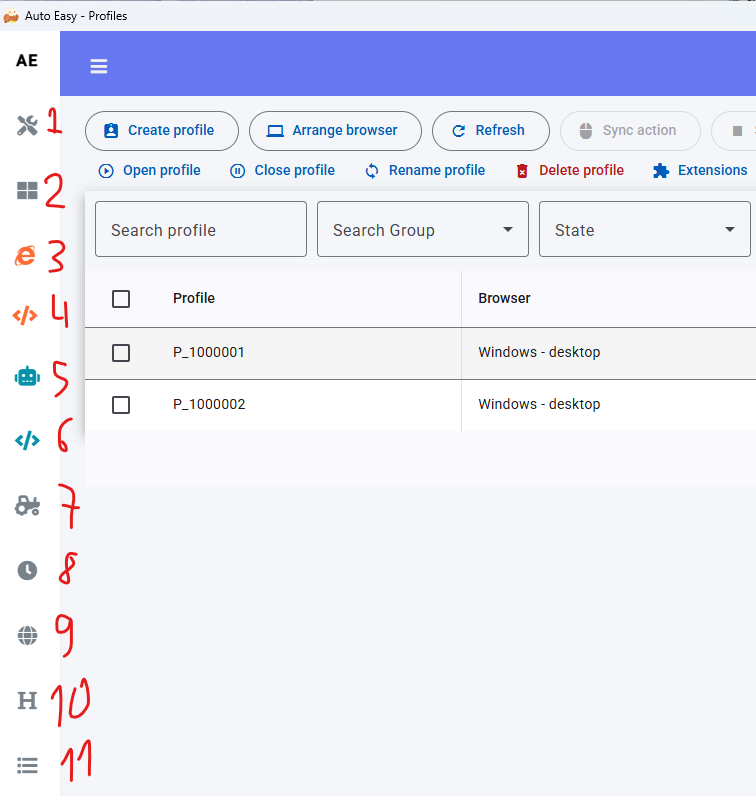
- In the left menu, click Script (label 7 in the screenshot).
Import, test, lock
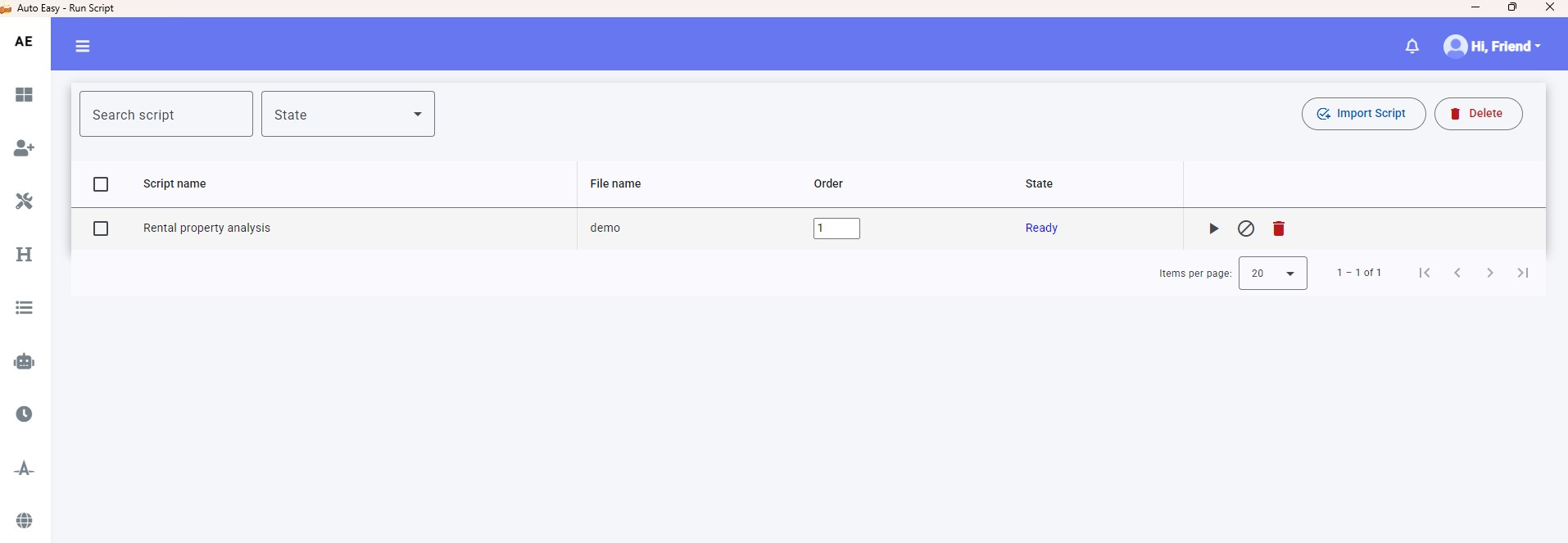
- Click Import Script and pick the script file.
- Click Play to run it once (not through the scheduler).
- Click Lock to lock it. A locked script is skipped when a schedule fires.
After import, go to Schedule scripts for repeating runs.