Schedule scripts
Schedules run imported scripts on an interval, a cron, or once. The script must already exist under Manage scripts.
Open Schedules
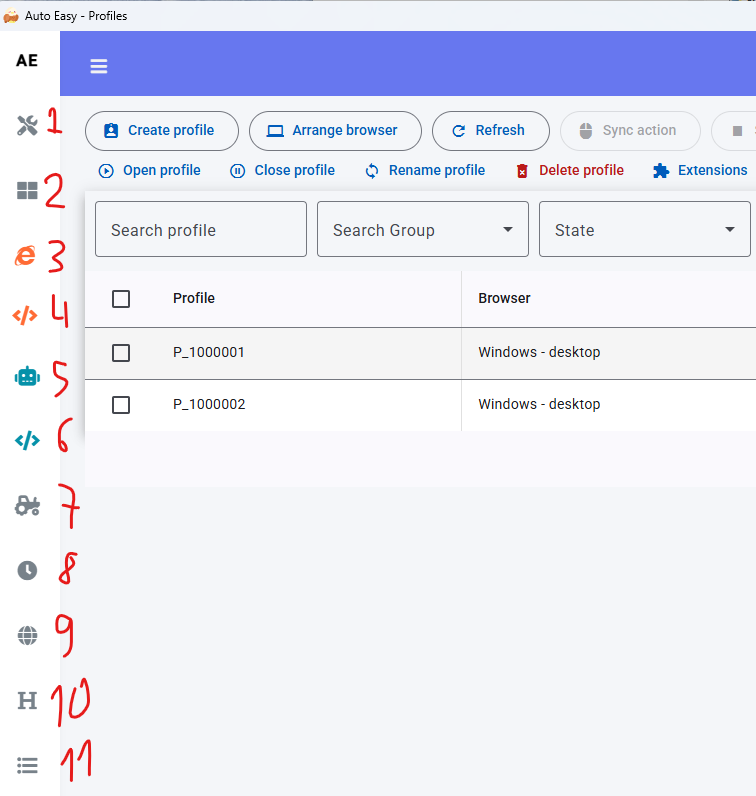
- In the left menu, click Schedule (label 8 in the screenshot).
- Click Add Schedule.
Fill in the schedule
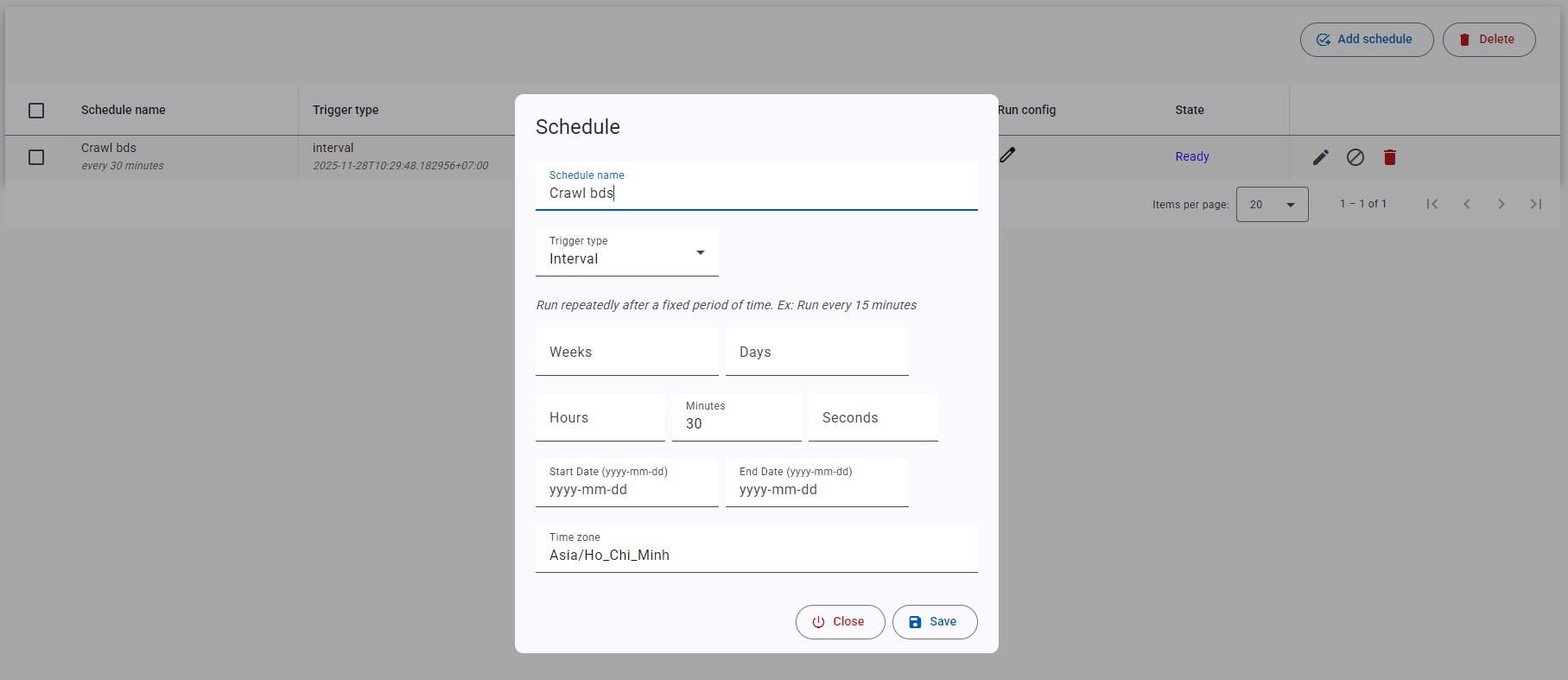
- Enter a Schedule name.
- Pick a Trigger type (table below).
- Select the script and the profiles or group to run.
- Save.
| Trigger | Use when | Example |
|---|---|---|
| Interval | Repeat on a fixed delay | Every 15 minutes, every hour |
| Cron | A clock time or calendar rule | Every day at 09:30, or 25 Dec |
| One-time | Run exactly once | 25 Dec 2025 at 10:00 |
Date range and time zone
- Start Date — optional start.
- End Date — optional end.
- Time zone — run in this zone; leave empty to use the PC clock.
A locked script or profile is skipped when the schedule fires. Check both lists if the schedule runs but you see no jobs.